

コピペで簡単に実装可能!19KBの縮小サイズ「Imagehover.css」は、CSSのみで44種類の画像ホバー効果が選択できます!
この記事の内容
マウスオーバーで画像アニメーション表示する【imagehover.css】
imagehover.cssは、ホバー時(マウスオーバー)に画像に44種類のアニメーション効果を提供するCSSライブラリです。。
プレビュー
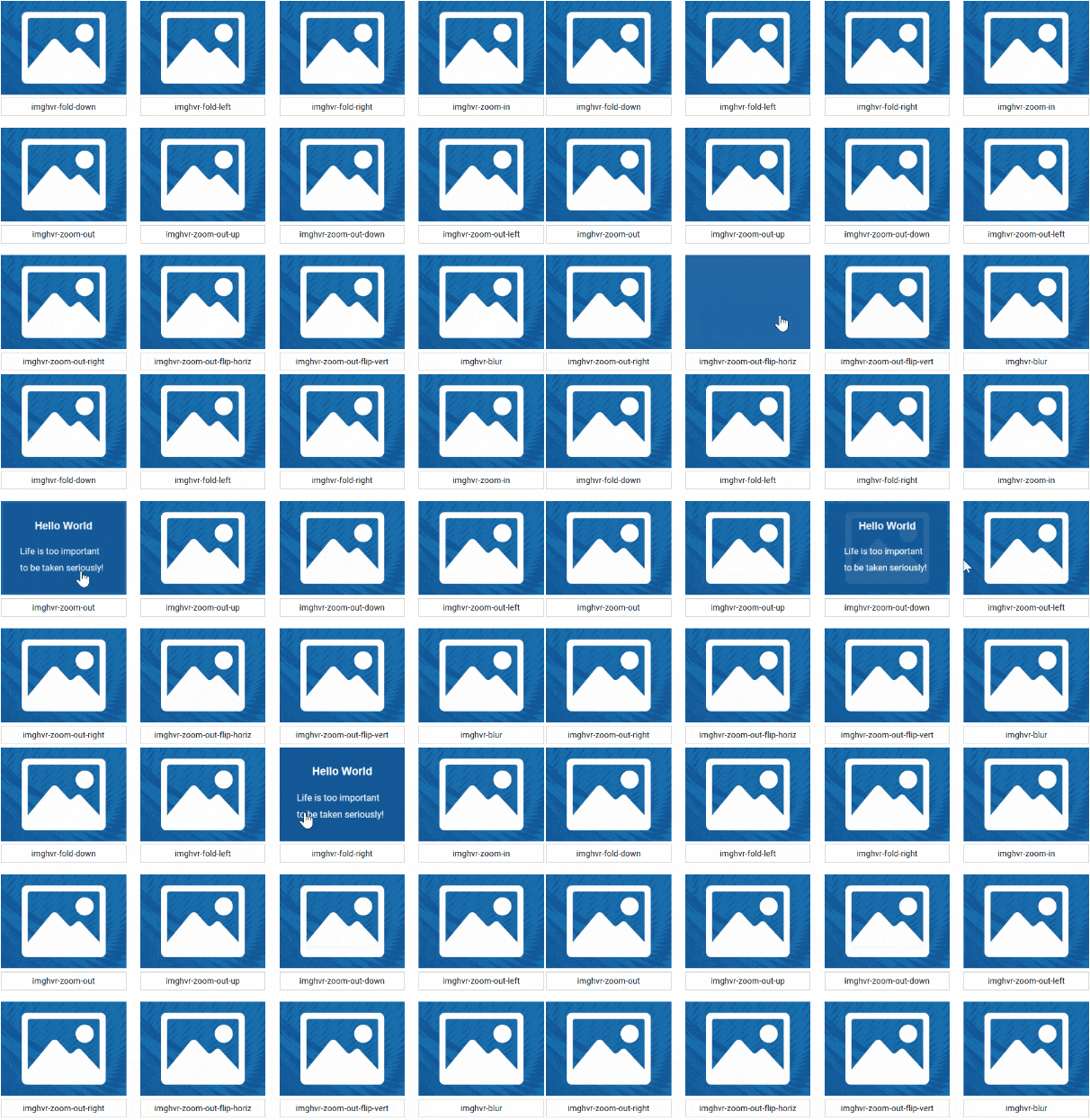
| 著者 | ciar4n |
|---|---|
| 公式ページ | website |
| デモページ | imagehover.css |
| 最後の更新 | 2019年7月4日 |
| ライセンス | MIT |
LICENSE:MIT
MITライセンスでは、商用利用だけでなく、コピーの使用、複製、変更、統合、公開、配布、サブライセンス、複製物を販売することが認められています。ただし、使用時には著作権表示とライセンス表示をする必要があります。ソースコード上(css、html)内に、著作権およびライセンス表示をすれば、サイト上で公開し表示する義務はありません。参照:MITライセンス
imagehover.css ダウンロード

【imagehover.css】 設置方法
スタイルシート(css)『imagehover.min.css』は<head”></head”>内に記述して読み込ませればok!
<link rel="stylesheet" href="css/imagehover.min.css">
【imagehover.css】のHTML
<figure class="imghvr-fade">
<img src="example-image.jpg" alt="代替テキスト">
  <figcaption>
    <h3>タイトル</h3>
    <p>説明文</p>
  </figcaption>
</figure>
画像からリンクするHTML
画像からリンクするには、figcaption要素の直後に空の<a href="リンク先URL"></a>タグを追加します。
<figure class="imghvr-fade">
<img src="example-image.jpg" alt="代替テキスト">
  <figcaption>
    <h3>タイトル</h3>
    <p>説明文</p>
  </figcaption>
<a href="リンク先URL"></a>
</figure>
利用可能なホバー効果
figcaption要素に1~44のコードを選択しclass指定すればok!
<figure class="下記44種類の中から選択">
<img src="example-image.jpg" alt="代替テキスト">
  <figcaption>
    <h3>タイトル</h3>
    <p>説明文</p>
  </figcaption>
<a href="リンク先URL"></a>
</figure>
- imghvr-fade
- imghvr-push-up
- imghvr-push-down
- imghvr-push-left
- imghvr-push-right
- imghvr-slide-up
- imghvr-slide-down
- imghvr-slide-left
- imghvr-slide-right
- imghvr-reveal-up
- imghvr-reveal-down
- imghvr-reveal-left
- imghvr-reveal-right
- imghvr-hinge-up
- imghvr-hinge-down
- imghvr-hinge-left
- imghvr-hinge-right
- imghvr-flip-horiz
- imghvr-flip-vert
- imghvr-flip-diag-1
- imghvr-flip-diag-2
- imghvr-shutter-out-horiz
- imghvr-shutter-out-vert
- imghvr-shutter-out-diag-1
- imghvr-shutter-out-diag-2
- imghvr-shutter-in-horiz
- imghvr-shutter-in-vert
- imghvr-shutter-in-out-horiz
- imghvr-shutter-in-out-vert
- imghvr-shutter-in-out-diag-1
- imghvr-shutter-in-out-diag-2
- imghvr-fold-up
- imghvr-fold-down
- imghvr-fold-left
- imghvr-fold-right
- imghvr-zoom-in
- imghvr-zoom-out
- imghvr-zoom-out-up
- imghvr-zoom-out-down
- imghvr-zoom-out-left
- imghvr-zoom-out-right
- imghvr-zoom-out-flip-horiz
- imghvr-zoom-out-flip-vert
- imghvr-blur
背景色・文字色の変更
個別に変更する場合
<figure class="imghvr-fade">
<img src="example-image.jpg" alt="代替テキスト">
  <figcaption style="background-color:#333; color:#fff;">
    <h3>タイトル</h3>
    <p>説明文</p>
  </figcaption>
<a href="リンク先URL"></a>
</figure>
任意のカラーコードに変更すればOK!
background-color:#333;
color:#fff;
一括で変更するには?
『imagehover.min.css』内の『background-color』『color』下記の個所のカラーコードを変更。
[class*=" imghvr-"], [class^=imghvr-] {
  background-color: #2266a5;
  color: #fff;
}

[class*=" imghvr-"] figcaption, [class^=imghvr-] figcaption {
  background-color: #135796;
  color: #fff
}

[class*=" imghvr-reveal-"]:before, [class^=imghvr-reveal-]:before {
  background-color: #135796
}
【Imagehover.css】のソースコード設置例
<!DOCTYPE html>
<html lang="ja">
<head>
<meta charset="UTF-8">
<meta name="viewport" content="width=device-width,initial-scale=1.0,minimum-scale=1.0">
    <title>【Imagehover.css】</title>

    <link rel="stylesheet" href="css/imagehover.min.css">

</head>
<body>
<div class="container">
<h1>【Imagehover.css】</h1>
  <h2>【Imagehover.css】設置方法</h2>

<figure class="imghvr-fade">
<img src="example-image.jpg" alt="代替テキスト">
  <figcaption>
    <h3>タイトル</h3>
    <p>説明文</p>
  </figcaption>
<a href="リンク先URL"></a>
</figure>

<figure class="imghvr-fade">
<img src="example-image.jpg" alt="代替テキスト">
  <figcaption>
    <h3>タイトル</h3>
    <p>説明文</p>
  </figcaption>
<a href="リンク先URL"></a>
</figure>

<figure class="imghvr-fade">
<img src="example-image.jpg" alt="代替テキスト">
  <figcaption>
    <h3>タイトル</h3>
    <p>説明文</p>
  </figcaption>
<a href="リンク先URL"></a>
</figure>

</div>
</body>
</html>

こんにちは。【検索上位表示ホームページ制作】中小企業様の集客に特化したコンテンツ作成&Webマーケティングのアドバイザーをしております。貴社の魅力を引き出し大企業と渡り合えるコンテンツ作りには自信がございます。Web事業歴15年目。「地域一番を目指したい」と言うweb担当者様お気軽にご相談ください。